
Industrial automation continues to evolve at a rapid pace, and engineering teams are under constant pressure to deliver smarter, more connected, and more reliable control systems. At the center of many modern automation projects sits Rockwell Automation’s Studio 5000, the engineering environment designed for Logix-based controllers. But having powerful software is only half the equation—having the right support partner can make the difference between a smooth deployment and a costly delay. That’s where PLC‑Automation steps in.
What Studio 5000 Brings to Modern Automation
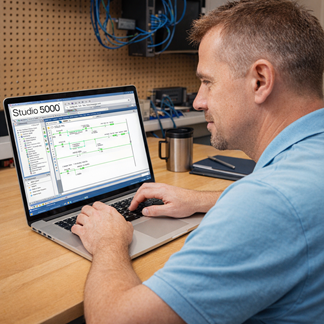
Studio 5000 is more than just a programming tool—it’s a unified engineering environment that integrates design, configuration, visualization, and documentation. For engineers working with ControlLogix, CompactLogix, and GuardLogix controllers, it’s the central hub for building and maintaining automation systems.
Key Capabilities
1. Logix Designer
The core of Studio 5000, Logix Designer provides:
• Ladder Diagram, Function Block, Structured Text, and SFC programming
• Integrated safety programming for GuardLogix
• Tag‑based architecture for scalable, modular design
• Online edits and real‑time diagnostics
2. View Designer (PanelView 5000)
A modern HMI development environment offering:
• Tight integration with Logix tags
• High‑performance graphics
• Simplified navigation and alarm configuration
How PLC‑Automation Can Help You With The Automation?
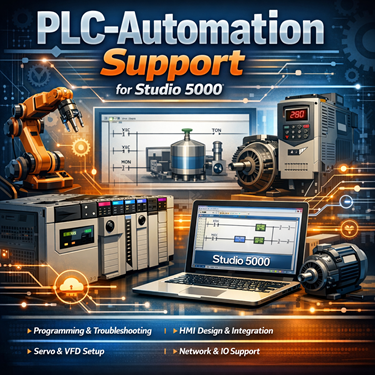
PLC‑Automation specializes in helping engineers, technicians, and integrators get the most out of Rockwell platforms. Whether you’re deploying a new system or maintaining an existing one, their support services fill the gaps that many teams face.
Whether you need to solve problem with your machine’s PLC or make an upgrade, we can help.
Controller faulting out, stopping the whole machine or entire line, or just not working as you wish and you want to make some changes in the program, add new features, or maybe remove some that are not needed and are slowing down the machine’s performance? No problem. We will troubleshoot your machine/controller, and we’ll make any requested changes.
If it’s time for an upgrade we will recommend best available controller that will meet machine’s requirements and all other hardware for your equipment.
PLC‑Automation can help with:
Hands‑On Technical Support
• Assistance with Logix Designer programming
• Troubleshooting communication issues (EtherNet/IP, ControlNet, DeviceNet)
• Help with firmware management and versioning
Project Support and Consulting
• System architecture planning
• Code reviews and optimization
• Safety system configuration (GuardLogix)
• HMI development using Factory TalkView Studio ME
Remote and On‑Site Assistance
• Connect remotely for troubleshooting
• Provide on‑site commissioning support
• Assist with system upgrades or migrations
We can help upgrade your existing program from an old controller into the new one, or write a new program from the scratch, including HMI application.
Besides PLC troubleshooting, we can help you with other problems your machine is experiencing.
Need More Information?
If you need more information, have a specific question about PLC, HMI, Safety relay, etc. Contact Us
We will respond within 24 to 48 hours (48 to 72 hours if weekend or Holiday)

